
Florida Rental By Owners has partnered with OwnerRez to provide an integrated API connection between the two systems. FLARBO hosts can run their listings and bookings from OwnerRez instead of updating both.
What syncs from OwnerRez?
The integration pushes your listing description, rates, fees, availability, house rules and policies to Florida Rental By Owners. When a traveler sends an inquiry on FLARBO, it arrives in OwnerRez with their details and dates already filled in.
How to set up the connection
- 1
Have your FLARBO subscription ready
Make sure each property you want to connect has a paid FLARBO subscription. New to FLARBO? Create a host account and list your property first.
- 2
Connect the Florida Rental By Owners channel
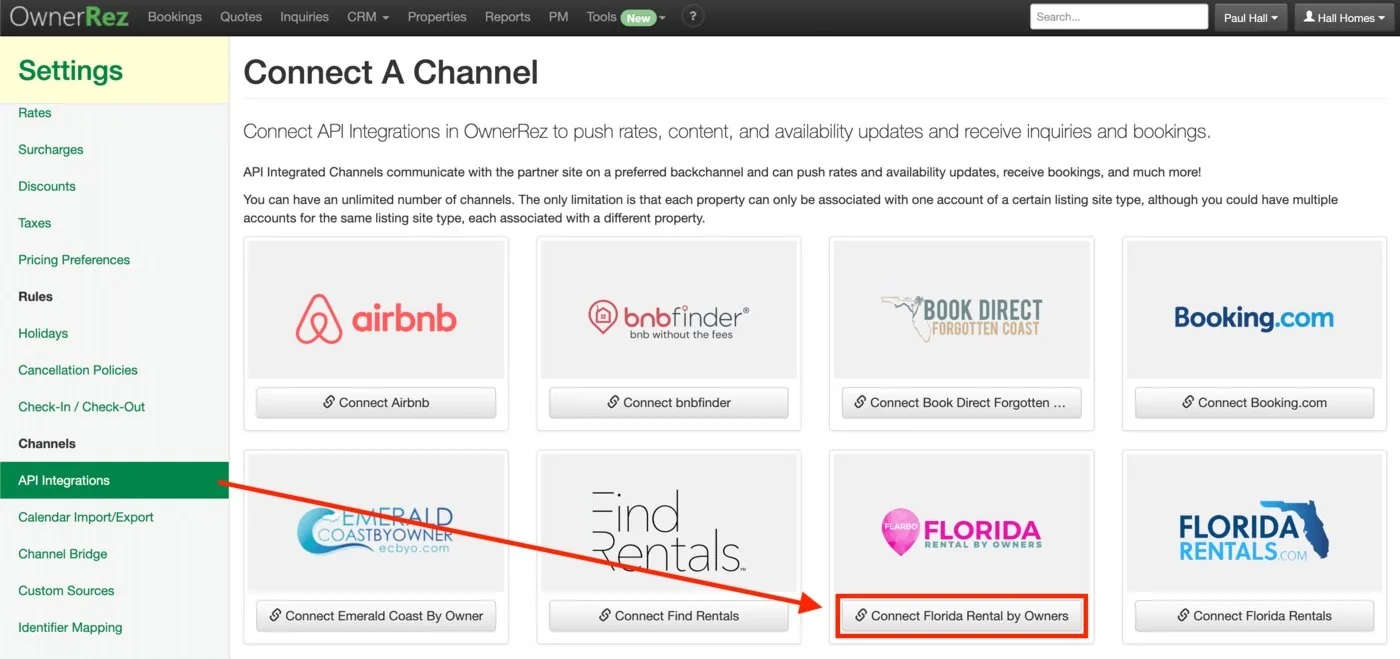
In OwnerRez, go to Settings › API Integrations › Connect a Channel and choose Connect Florida Rental by Owners.
- 3
Configure the channel settings and save
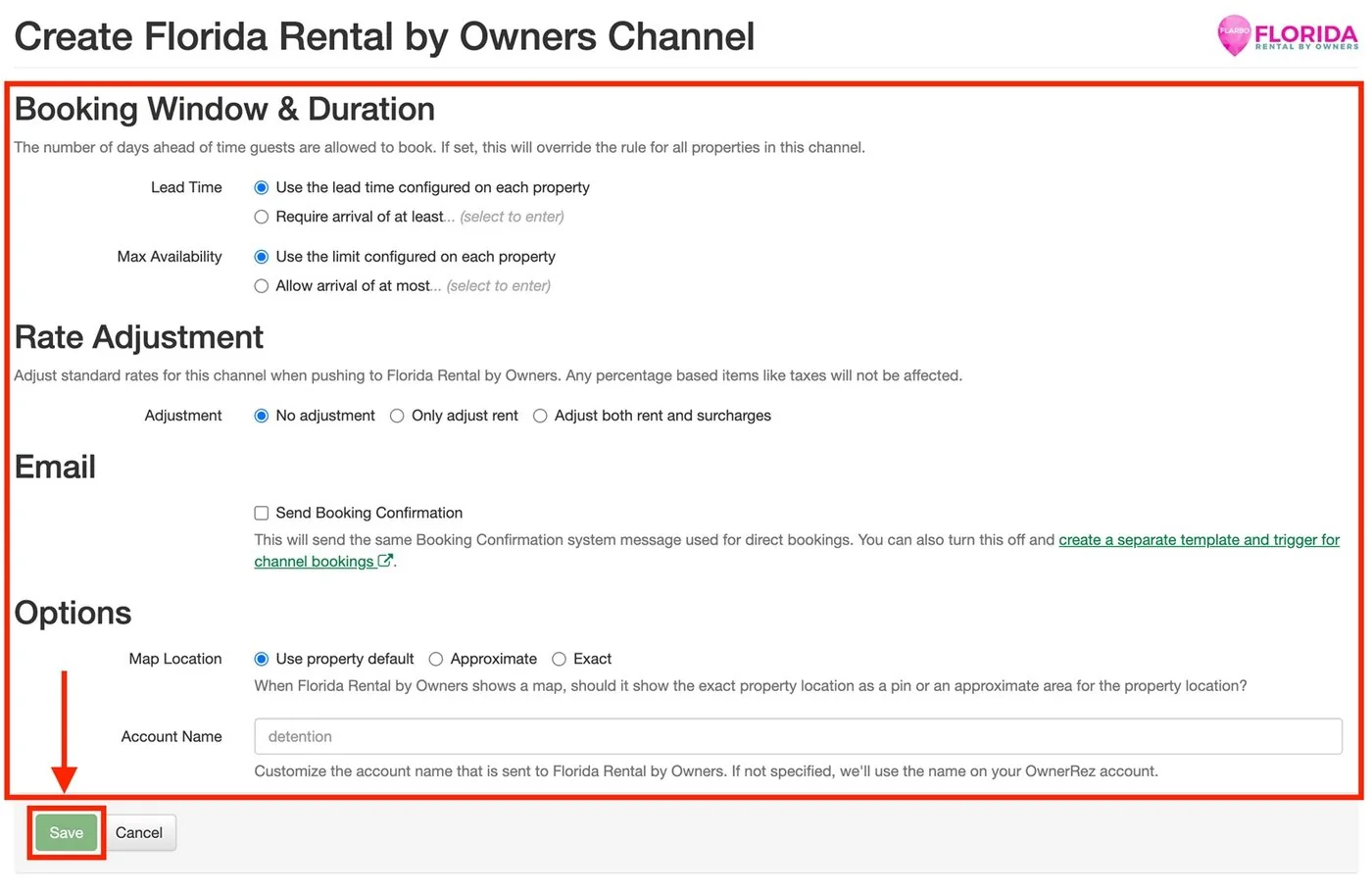
Review the booking window, rate adjustment, email and map options for the channel, then save.
- 4
Copy your OwnerRez account ID
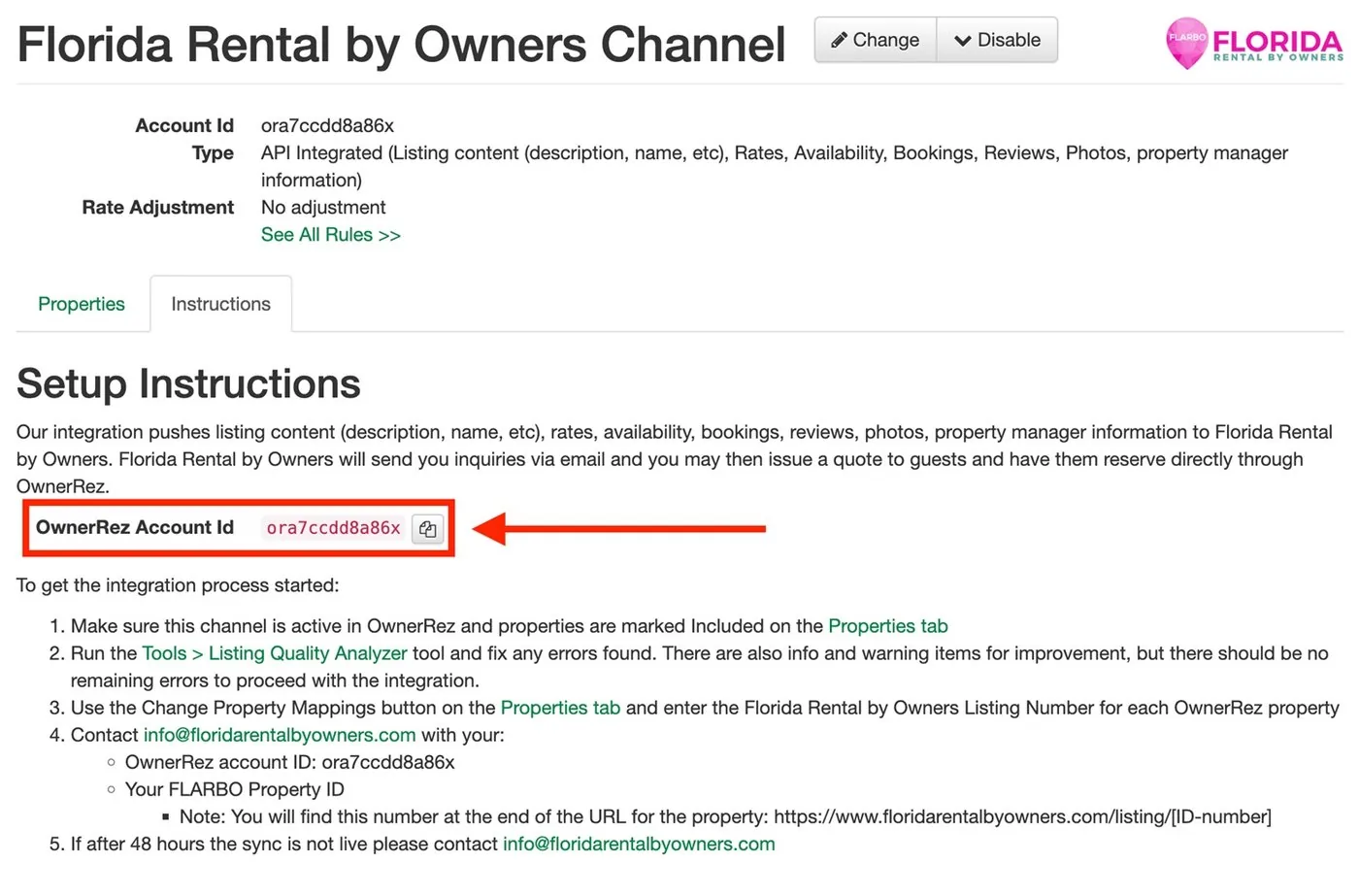
Once saved, the channel’s Instructions tab shows your OwnerRez account ID. Our team needs it to sync your properties.
- 5
Send us your IDs
Contact the Florida Rental By Owners team with the details listed below, and we’ll link each OwnerRez property to its FLARBO listing.
What to send our team
- Your OwnerRez account ID (for example,
ora7ccd9a99a) - Your OwnerRez property IDs (for example,
orp5651999x) - Your FLARBO listing number: the number at the end of your listing's address,
floridarentalbyowners.com/properties/9999 - With more than one property, which FLARBO subscription level each OwnerRez property goes with (for example,
orp5651999x= Platinum)
We'll let you know when the sync is live. If it isn't live after 48 hours, contact us.
How do I delist a property that has sold?
Contact customer support with your OwnerRez ID and FLARBO listing number and we'll take the property off FLARBO. Once we confirm, you can disable the channel inside OwnerRez.
Using a different system? See every way to connect in the Integration Zone.